What are FlowFuse Blueprints?
Preconfigured Node-RED Applications

Starting today, FlowFuse Blueprints are available on FlowFuse Cloud. Additionally, upon request, all our Teams and Enterprise Self-Hosted customers gain access to this collection. But what exactly are FlowFuse Blueprints?
FlowFuse Blueprints
FlowFuse Blueprints aim to make the Node-RED experience more accessible for newcomers, while also offering a treasure trove of fresh ideas for seasoned Node-RED users. When setting up a new Node-RED instance, you now have the option to choose a blueprint tailored for specific use cases. For example, our "ANDON Operator Terminal" blueprint can be selected, and it will automatically configure the Node-RED instance, sparing you the need to start from scratch. While these templates are powerful out-of-the-box, they're also fully customizable, allowing you to tweak them to suit your unique requirements. Ultimately, blueprints speed up the learning curve for new users and expedite the solution-building process for experienced ones.
How to use Blueprints?
All our FlowFuse Cloud users can select a Blueprint directly while creating a new Node-RED instance. Self-hosted customers can request access to our blueprints via a support ticket.
The first three Blueprints
In the coming weeks, we'll be releasing a multitude of blueprints tailored for diverse use cases. However, we decided to start with with three foundational manufacturing applications designed with the Node-RED Dashboard 2.0.
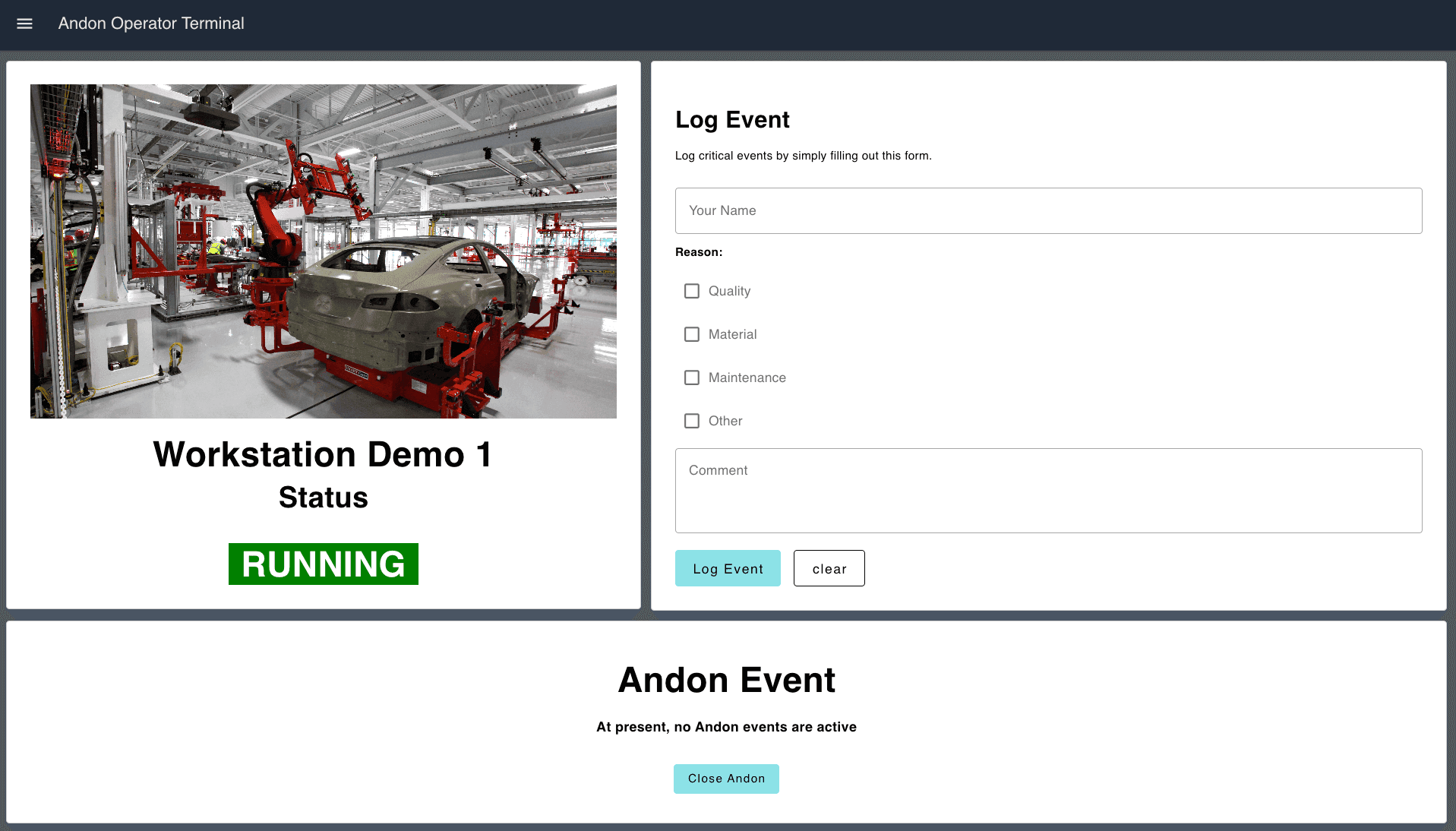
ANDON Operator Terminal
The Andon Operator Terminal is designed to be at the start of an Andon process, allowing end-users to report any issues with the cell to a supervisor.
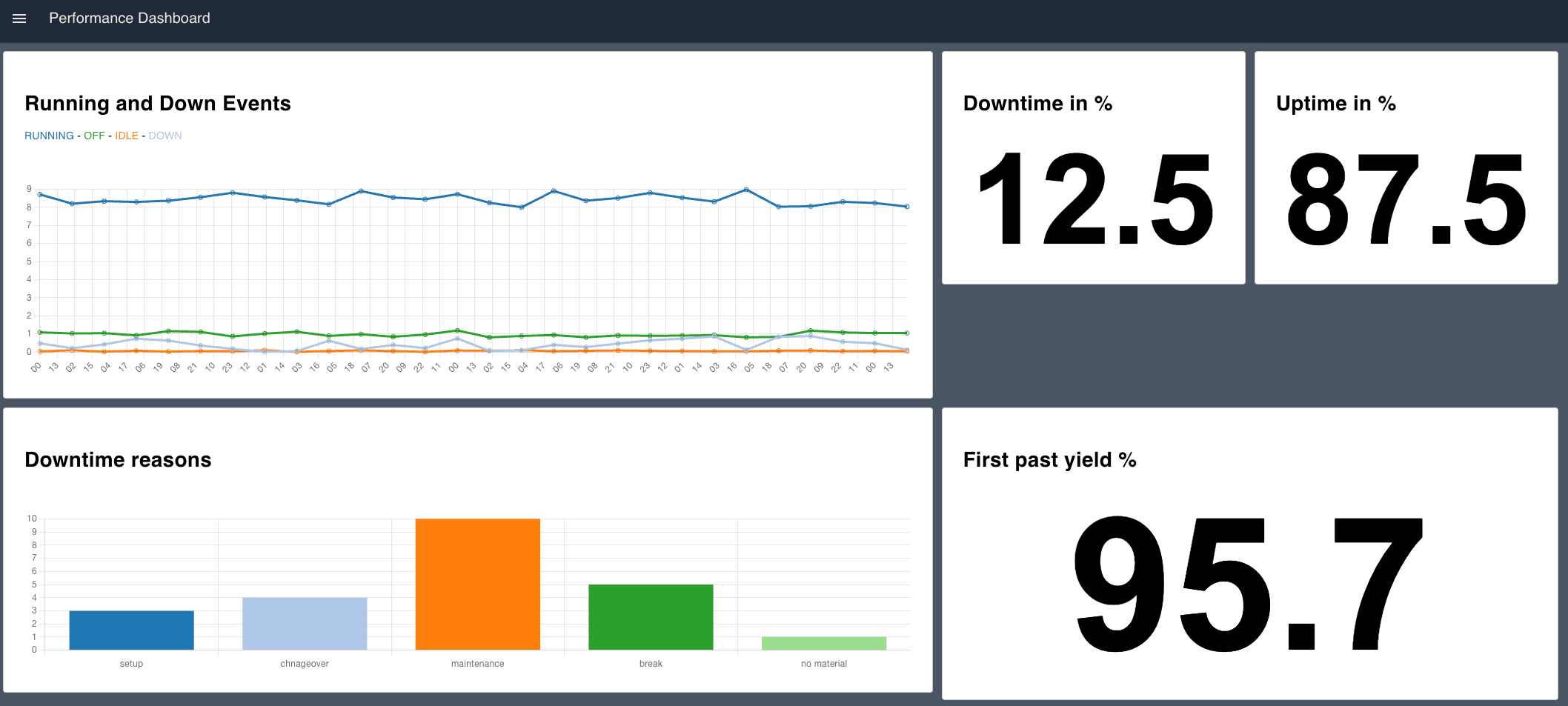
Performance Overview Dashboard
The Performance Overview Dashboard Blueprint provides a real-time snapshot of key performance metrics, delivering a comprehensive overview of manufacturing operations for a specific station or entire line.
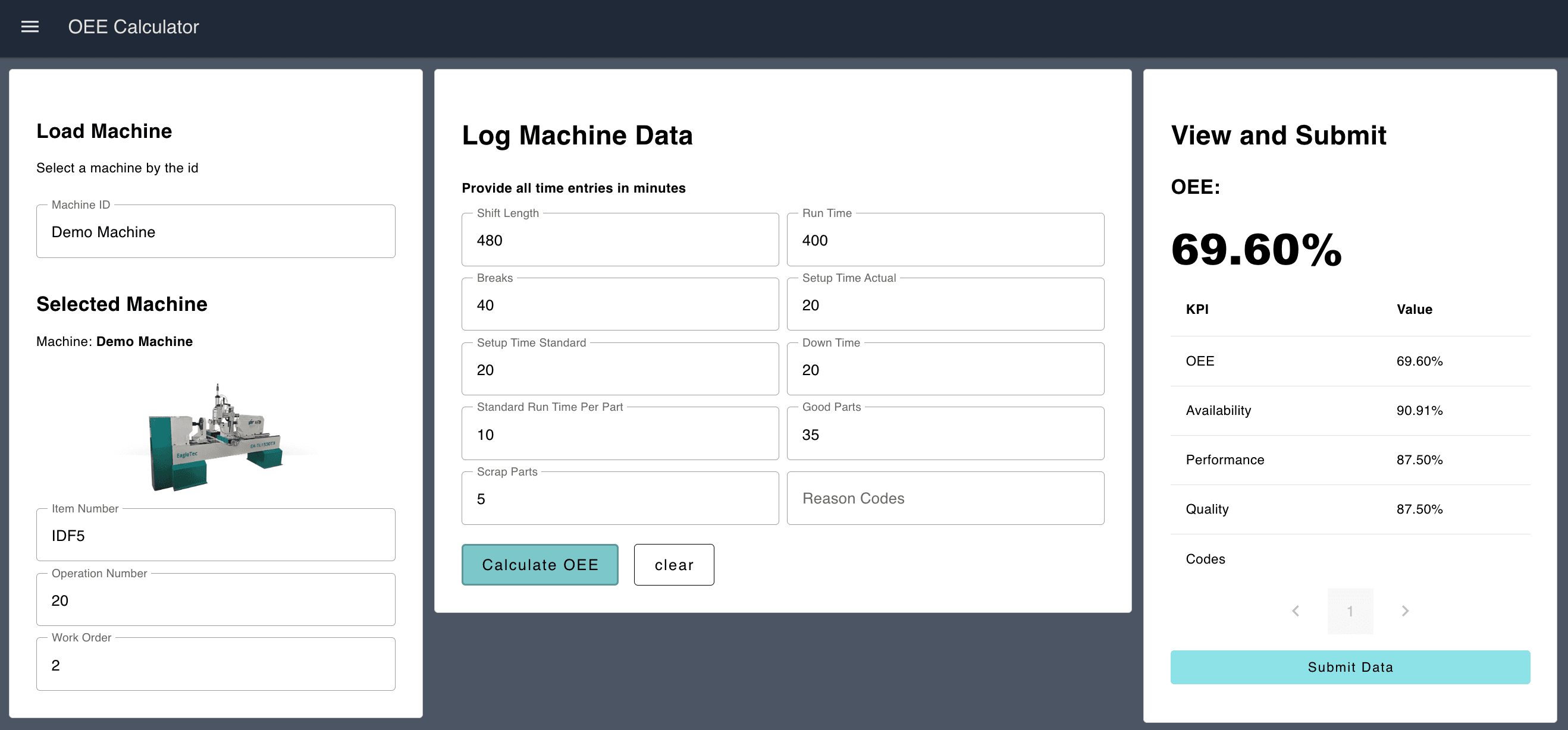
OEE Calculator
If automatic calculations are not feasible, the OEE Calculator Blueprint enables end-users to manually input production data to compute the Overall Equipment Effectiveness (OEE) for a given machine.
See how FlowFuse works in real environments
Walk through real use cases and see how teams connect systems, automate workflows, and deploy at scale.
Like what you're reading?
Add FlowFuse as a preferred sourceOn the page that opens, check the box next to flowfuse.com to see more of our articles in your Google Search results.
Related Articles:
- FlowFuse 2.11: MQTT Topic Hierarchy, UI Revamp & Improved Logging
- FlowFuse 2.10: MQTT Broker, Improved Version Control & More!
- FlowFuse 2.9: Software Bill of Materials & Public Static Assets
- FlowFuse 2.8: Static File Service, LDAP Updates & More
- FlowFuse 2.7: Improved management at scale & AI JSON Editor